- Email:sales@acgit.com
- phone:(+2) 02 2677 5516
How to Compress Video Online: A Comprehensive Guide
In the digital age, video content has become paramount for personal and professional use. Whether it’s for sharing on social media, uploading to websites, or storing digital memories, video files can be quite large. This is where the ability to compress video online becomes essential. This guide will explore the various methods to effectively compress videos while maintaining their quality.
Understanding Video Compression
Video compression is a process that reduces the file size of video data without significantly affecting its quality. Video files can occupy a large amount of storage space, which might be impractical for sharing or uploading. Thus, compression helps in several key areas:
- Reducing storage space on devices
- Speeding up upload times to websites or social media
- Improving playback on devices with limited processing capabilities
- Facilitating smoother streaming experiences
Types of Video Compression
There are two main types of video compression: lossy and lossless.

Lossy Compression
This method reduces file size by removing some data, which can lead to a loss in quality. The compression process analyzes the video to remove unnecessary information. Formats often associated with lossy compression include MP4 and WebM. Lossy compression is best for situations where a smaller file size is more important than perfect quality, such as sharing on social media or streaming.
Lossless Compression
In contrast, lossless compression reduces file size without sacrificing any quality. All original data can be restored, which means that the video retains its full quality even after compression. However, lossless files tend to be larger than lossy files. Formats like MKV and AVI can hold lossless video content. This type of compression is ideal for archiving or when the highest quality is paramount.
Benefits of Compressing Videos Online
Using online tools to compress videos comes with numerous advantages:
- Accessibility: You can use these tools from any device with internet access, eliminating the need for software installation.
- Simplicity: Most online video compressors feature user-friendly interfaces that make the compression process easy, even for beginners.
- Variety of Options: Online platforms often allow you to choose different compression rates and formats, giving you control over the output.
- No Quality Loss: Many reputable online compressors maintain high quality while reducing file size, especially if you opt for lossless formats.
Popular Online Video Compressors
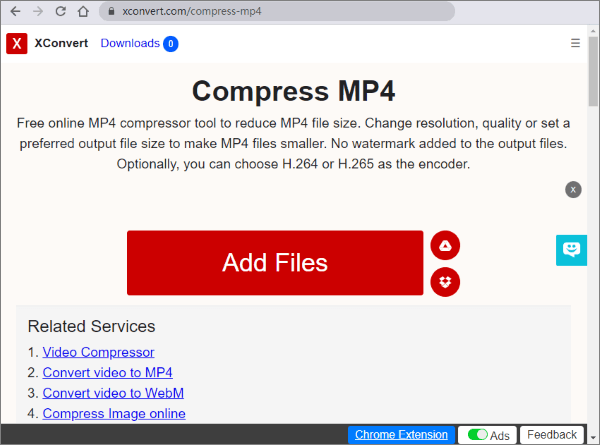
Here are some well-known online video compressor tools that you can consider:
Cliptools
With its straightforward interface, Cliptools allows users to compress video files quickly while retaining their original quality. You simply upload your video, select the desired size, and the tool does the rest.
VEED.IO
VEED.IO is another popular platform that offers video compression along with various editing features. It’s perfect for users who want more than just compression; it also has tools for adding texts, captions, and effects.
CloudConvert
CloudConvert stands out for its ability to handle numerous file formats. It supports video, audio, document, and more, making it a versatile tool. Users can customize the compression settings, giving them complete control over the output file.
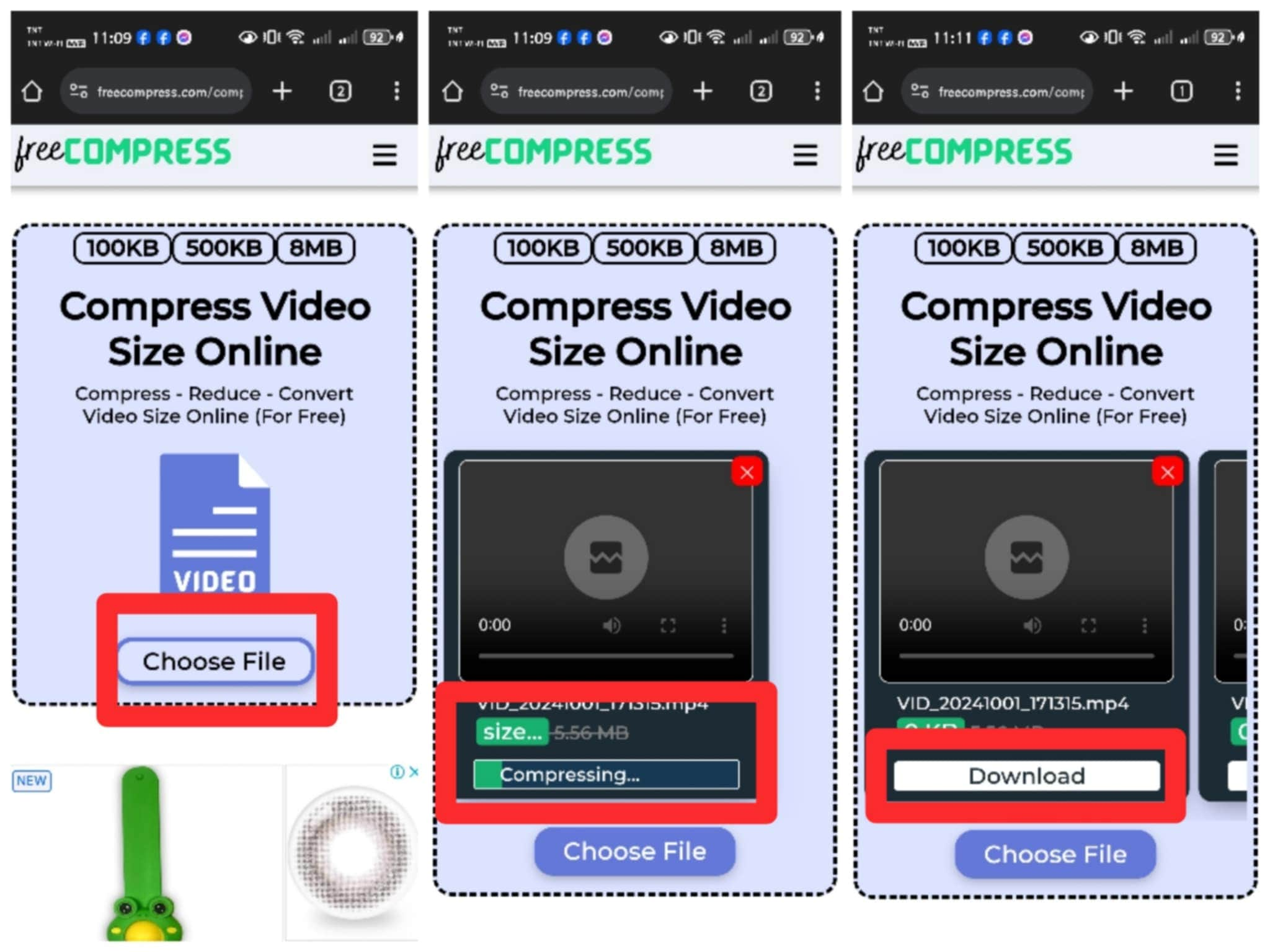
How to Compress Video Online, Step by Step
Compressing video files online is usually a straightforward process. Here’s a step-by-step guide on how to do it:
- Select a Video Compressor: Choose an online video compressor tool. Ensure that the platform is reliable and has good user feedback.
- Upload Your Video: Click on the upload button to select the video file you wish to compress from your device.
- Choose Compression Settings: Depending on the tool, you may have options to select the output format, resolution, and compression level.
- Compress the Video: Once you’ve set your preferences, click the compress button and wait for the tool to process your video.
- Download the Compressed Video: After the compression is complete, download the file to your device.
Common Issues When Compressing Videos Online
While compressing videos online is relatively easy, users might encounter a few common issues:
- File Size Limits: Many free online compressors impose limits on the size of the video files you can upload.
- Slow Upload/Download Speeds: Depending on your internet connection and the server’s responsiveness, uploading and downloading can take time.
- Quality Loss: If you’re not careful with settings, you might end up with a file that’s too compressed, losing essential details.
Conclusion
Video compression is an indispensable skill in today’s digital landscape. With an array of online tools available, compressing videos has never been easier. Whether you want to reduce size for quicker uploads, save storage space, or optimize for better streaming experiences, understanding how to compress video online is crucial. By following the guidelines and utilizing the right tools, you can effectively manage your video files while maintaining their quality.
Additional Resources
If you’re looking to dive deeper into video compression, consider exploring articles and video tutorials that provide additional insights and techniques. Platforms such as YouTube and various tech blogs often have comprehensive guides that complement the basics presented here.